
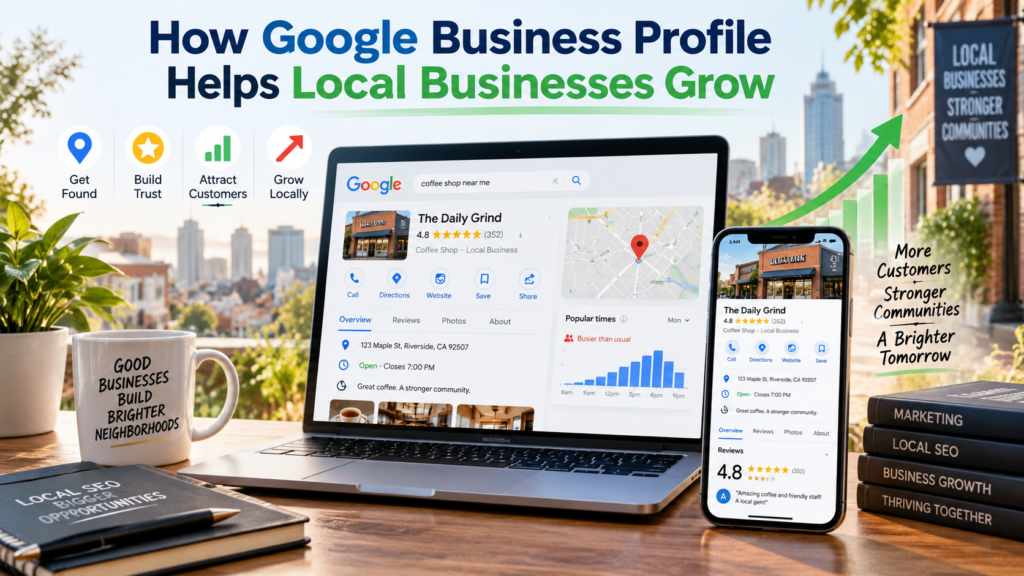
Most Nepali businesses I audit already have a Google Business Profile. Somebody claimed it two years ago, filled in the name and phone number, and never opened it again.
So the honest question isn’t how to set one up — there are good guides for that, including Google’s own. The question is why the one you already have isn’t doing anything, what it would actually be worth if it were working, and how long that would take.
That’s what this post is about — what a Google Business Profile in Nepal is genuinely worth, and when it isn’t worth anything. Some of it is going to talk you out of things.
What a Google Business Profile actually does for local businesses in Nepal
It does three separate jobs, and most people only know about the first.
It puts you in the map pack. When someone searches “dentist in Baneshwor” or “carpet cleaning Kathmandu”, Google shows a map with usually three businesses above the ordinary results. Those three positions get the majority of the clicks, and you cannot buy your way into them or rank there with a website alone. The profile is the only entry.
How much the map pack matters depends on how your customers search. For an electrician, a clinic, a restaurant or a repair service, the map pack is most of the game. For a business people find by name or by referral, much less.
It answers for you when someone searches your name. Someone hears about you from a friend, types your business name into Google, and gets a panel on the right with your hours, your phone number, your photos and your reviews. If that panel says “Hours not available” or shows a photo from 2021, you have lost trust before they have seen your website.
This one applies to every business, including ones the map pack will never help — and it is the reason the details on your profile need to match the details on your contact page exactly.
It converts without a click. The call button, the directions button, the WhatsApp or message link. A customer can hire you without ever visiting your site. For a lot of Nepali businesses, the profile produces more enquiries than the website does — which is uncomfortable if you have just spent NPR 80,000 on a website and nothing on the profile.
The difference between a profile that exists and one that earns
Almost every Nepali business has the first. Very few have the second, and the gap between them is smaller than people expect.
A specific primary category. This single field decides more about which searches you appear in than anything else on the profile. “Cleaning service” and “Carpet cleaning service” are different businesses as far as Google is concerned. Pick the most precise category that describes what you actually want to be called for, and add the broader ones as secondary.
Services or products, listed individually. Not a paragraph describing what you do — the actual list. Each entry is a thing Google can match a search to. A clinic that lists eleven treatments has eleven chances to appear; a clinic that lists “healthcare services” has one.
Hours that are true, including the days you close for Dashain and Tihar. Nothing costs a business more quietly than a customer who travels across the valley to a closed shutter.
Your own photos, added regularly. Not stock images, not the architect’s render. The inside of the shop, the staff, the work. Photos are the first thing a customer looks at and one of the few signals that a business is actually alive.
Reviews, with replies. Covered below, because in Nepal this is harder than the guides admit.
None of this takes technical skill. It takes an afternoon and then twenty minutes a month, which is precisely why so few businesses do it.
Why most Google Business Profiles in Nepal stall
Four reasons, in the order I see them.
It was never verified. A claimed listing and a verified one are different things, and an unverified listing has limited reach. Postcard verification is the default and it is unreliable outside city centres, where addresses are descriptive rather than numbered. If postcards keep failing, look for the video option — you record a walkthrough showing your signage, your premises, your equipment and something proving the business is yours. It is generally faster here than waiting on post.
The category is wrong. Usually too broad, occasionally just inherited from whoever set it up. This is a two-minute fix that changes which searches you are eligible for at all.
The business name has keywords stuffed into it. “Sunrise Dental — Best Dentist in Kathmandu, Cheap Braces” breaks Google’s guidelines for representing your business, and it is one of the most common reasons a Nepali profile gets suspended. Your business name field should contain your business name.
Nobody has touched it since. No photos, no replies to reviews, hours that were right in 2024. Google’s systems favour profiles that show signs of life, and so do customers.
The review problem nobody writes about
Everyone tells you reviews matter. Almost nobody tells you what to do from where you are actually standing: two reviews, and the competitor three doors down has forty.
Two things are true about reviews in Nepal. Customers almost never leave one unprompted — the habit isn’t there yet. And the ones who do leave them are disproportionately the unhappy ones, because annoyance is a stronger motivator than satisfaction.
What works:
- Ask in person, at the moment the job is finished and the customer is visibly pleased. Not by email three days later, when the feeling has passed.
- Send the short review link on Viber or WhatsApp — Google gives you one in the profile. Never make someone search for your business to find where to leave it.
- Ask a few every week, not forty in one month. A listing that jumps from two reviews to forty in a fortnight looks exactly like what it looks like.
- Reply to all of them, in whichever language they were written. A calm, specific reply to a complaint persuades more readers than the complaint puts off.
- Never offer a discount in exchange. It is against Google’s policies, and incentivised reviews can be removed — taking your credibility with them.
You will not close a forty-review gap in a month. You can close it in a year, and the businesses that do are the ones who made asking part of finishing the job rather than a campaign.
When somebody else edits your listing
This is the part that surprises people, and the one I most often end up explaining to a client who has just discovered their opening hours were changed by somebody they have never met.
Anyone can suggest an edit to your listing. A member of the public, a customer, a competitor. They can suggest your hours are different, that you have moved, or that you have closed permanently. Some of those edits go live without anyone asking you.
Duplicate listings appear on their own. Old data, a previous owner, an employee who created a second profile years ago, a data aggregator. Two listings for one business split your reviews and confuse Google about which is real.
What to do about both: open your profile once a month and check the name, address, phone, hours and category are still what you set. Search your business name on Google Maps and look for duplicates. If you find one, report it as a duplicate through the profile rather than deleting anything — deleting the wrong one is how businesses lose ten years of reviews.
If a competitor is repeatedly editing your listing, the fix is the same one that fixes most profile problems: an active, well-maintained profile with plenty of accurate signals is far harder to move than a neglected one.
If your Google Business Profile gets suspended
It happens more often in Nepal than people expect, usually for one of three reasons: keywords stuffed into the business name, an address that cannot be verified as a real place of business, or a service-area business that published a residential address it should have hidden.
The sequence is: fix whatever caused it first, then request reinstatement, then be ready to provide evidence the business is real — your PAN or VAT certificate, signage, utility bills, photographs of the premises.
Do not create a second profile while the first is suspended. It is the instinctive move and it makes the problem substantially worse.
When a Google Business Profile won’t help your business
I would rather say this than have you spend three months on something that was never going to work.
A Google Business Profile does very little if your customers don’t search Maps for what you sell. A trading company selling to twelve wholesale buyers, a manufacturer supplying factories, an exporter — these businesses get customers through relationships, not through someone searching “near me” at 9pm. Keep the profile accurate so your name search looks professional, and put your effort somewhere else.
It also won’t help much if you can’t or won’t publish a location or service area you can verify, if nobody in the business will answer the phone — a profile that generates calls nobody picks up produces bad reviews rather than customers — or if your prices are far outside the local market, since Maps sends you high-intent people who are comparing.
And it will not rescue a business with a real problem underneath. If people arrive and leave unhappy, more visibility means more reviews saying so.
What a Google Business Profile in Nepal realistically produces, and how fast
You will find articles on this subject promising extraordinary things — traffic multiplied several times over, revenue transformed, a client list tripling inside a year. Some of those results may be real. None of them is auditable, and you should read them the way you read any number nobody can check.
What I see in practice is more modest and more useful to plan around.
Weeks 1–2. Verification and a complete profile. If the listing was unverified or badly categorised, this alone can produce visible movement quickly — this is the fastest-acting thing in local SEO, which is why it’s the first thing I do on almost every engagement.
Month 1–2. Appearing for more searches, mostly less competitive ones. The first calls that can be traced to the profile. Reviews starting to accumulate if you have made asking a habit.
Month 3–6. Map pack positions in a competitive category. This is where the review count and the consistency of your details start to decide the order.
For scale, a small local business in Nepal moving from a neglected profile to an actively maintained one, with a real review flow, is typically looking at going from a handful of enquiries a month to a few times that — not a tenfold anything. [INSERT A PROFILE-SPECIFIC CLIENT FIGURE HERE — profile calls or direction requests, before and after — OR DELETE THIS SENTENCE]
That kind of change sounds unglamorous. For most businesses it is the difference between wondering whether online marketing works and not wondering.
The three numbers worth watching
Google shows you performance data inside the profile itself. Most of it is noise. Three things matter:
- Calls. Google counts the taps on your call button. This is the closest thing to a direct measure of whether the profile is earning.
- Direction requests. Somebody asking how to get to you is somebody about to arrive.
- The searches people used to find you. Google shows you the actual terms. This is free keyword research about your own customers, and almost nobody reads it.
Profile views are the metric everyone quotes and the one that matters least. Views without calls means you are being seen and passed over, which is a different problem and usually a photos-and-reviews problem.
Alongside those, do the unglamorous thing: ask every new customer how they found you, and write it down. It beats any dashboard.
Frequently asked questions
Does a Google Business Profile for local businesses in Nepal actually generate customers?
For almost any business with customers who come to you or who you travel to — yes, and it’s the highest-return hour of work available. For businesses selling to a handful of known buyers, keep it accurate and spend your effort elsewhere.
Do I need a physical address?
No. If you travel to your customers, set it up as a service-area business and list the areas you genuinely cover. You will still verify an address, but it won’t be shown publicly. Listing the whole valley when you only work in Lalitpur will hurt rather than help.
Can I write my Google Business Profile in Nepali?
You can, and for some businesses it’s worth it — a description in Nepali reads better to a customer searching in Nepali. Keep the business name in the form customers actually use, and remember your reviews will arrive in both languages, so reply in whichever one was used.
What if there are two listings for my business?
Report the extra one as a duplicate from within your profile rather than deleting it. Deleting the wrong listing is how businesses lose years of accumulated reviews, and it isn’t always reversible.
How many reviews do I need?
There’s no threshold. What matters is being in the same range as the businesses ranking above you, and that the reviews arrive steadily rather than in bursts. Five a month, sustained, will get most Nepali businesses where they need to be inside a year.
Is Google Business Profile the same as Google My Business?
Yes — Google renamed it. If you’re reading a guide that still says Google My Business, the advice may be out of date in other ways too.
Can I manage several branches from one account?
Yes, and each branch needs its own profile with its own address, phone and hours. One profile covering three locations will rank for none of them properly.
Where to start
If your profile has been sitting untouched: verify it if it isn’t verified, fix the primary category, list your services individually, correct the hours, add ten real photos, and ask your next five happy customers for a review. That is an afternoon, and it puts most Nepali businesses ahead of their local competition.
If you would rather have someone look at it first, I do a free SEO audit that covers your Google listing alongside your website — manually, not from a tool export — and you get a plain-language summary within two to three business days of the three to five things that would actually make a difference.
You might also want the wider local SEO guide, which covers the work around the profile, or how I handle local SEO for clients.
6 Responses